 Quizb
QuizbQuizb Test Tool is a tool that uses artificial intelligence technology to help users generate test questions quickly and efficiently. It not only solves the troubles and pressures encountered by users during the problem solving process, but also provides a new way of problem solving. This tutorial will provide a detailed introduction to the template generation and data question setting operation of Quizb setting tool, as well as other advantages and functions of Quizb setting.
Operating Steps for Template Generation
Step 1: Select a template
After logging into the Quizb tool, select the "Template Generation" option. The system will provide multiple existing templates for users to choose from, including categories, stages, subjects, etc.
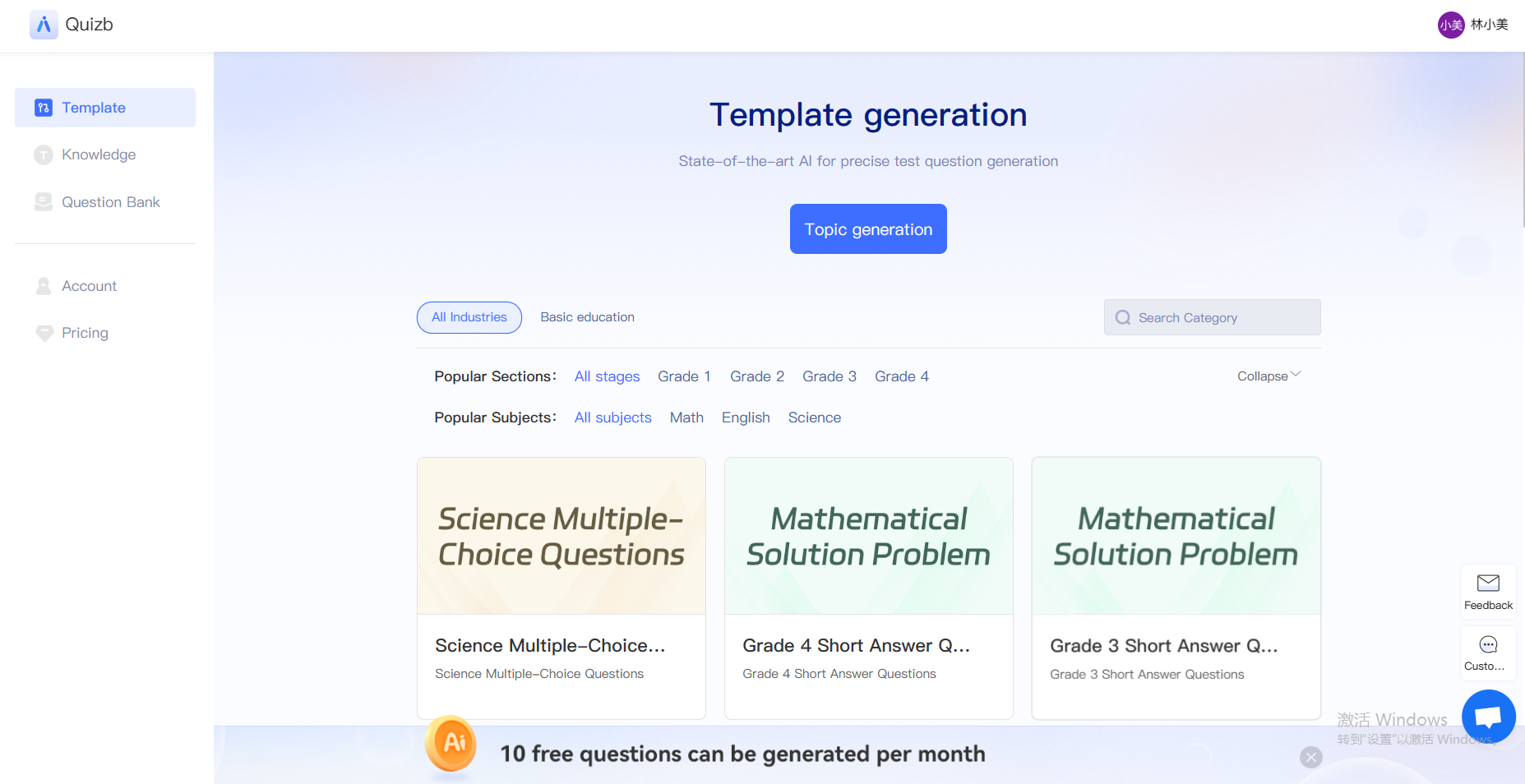
Step 2: Customized settings
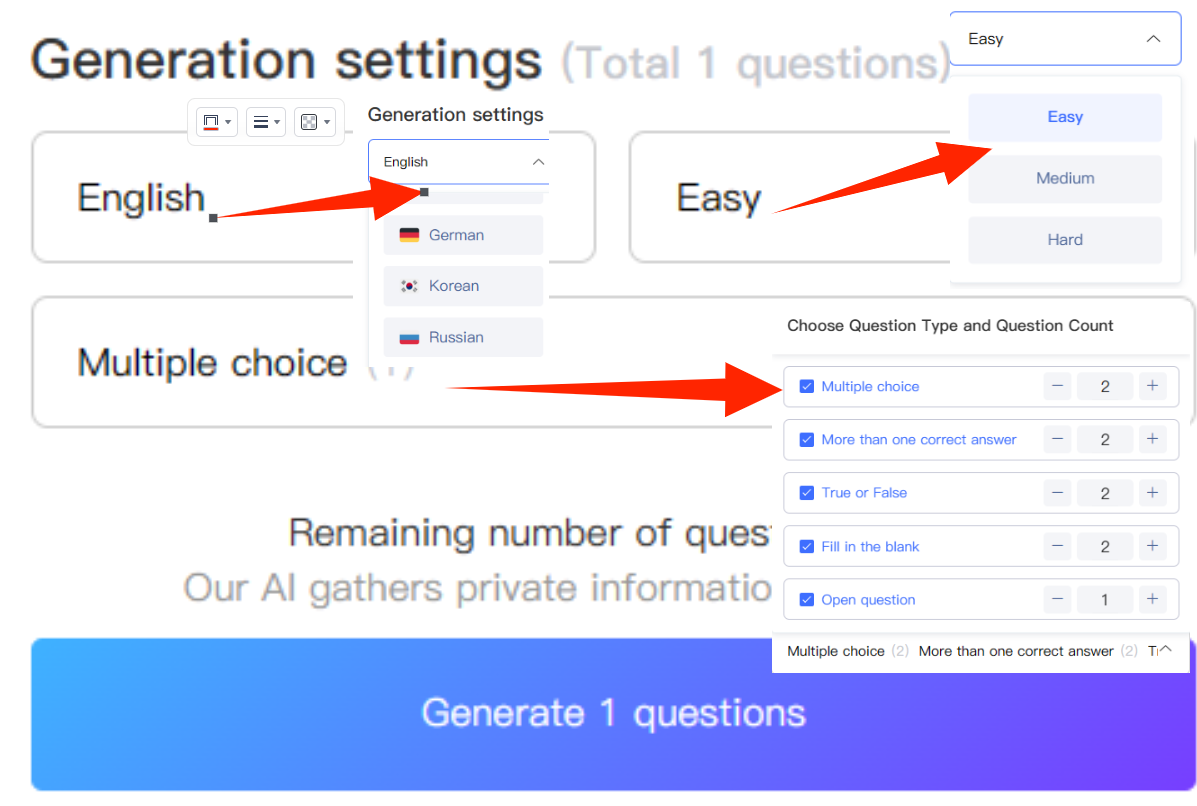
Users can customize the template according to their needs, including language selection, difficulty, quantity, and type of questions, as well as coverage of specific knowledge points. This step allows users to adjust the content of the test questions according to their actual teaching or exam needs.
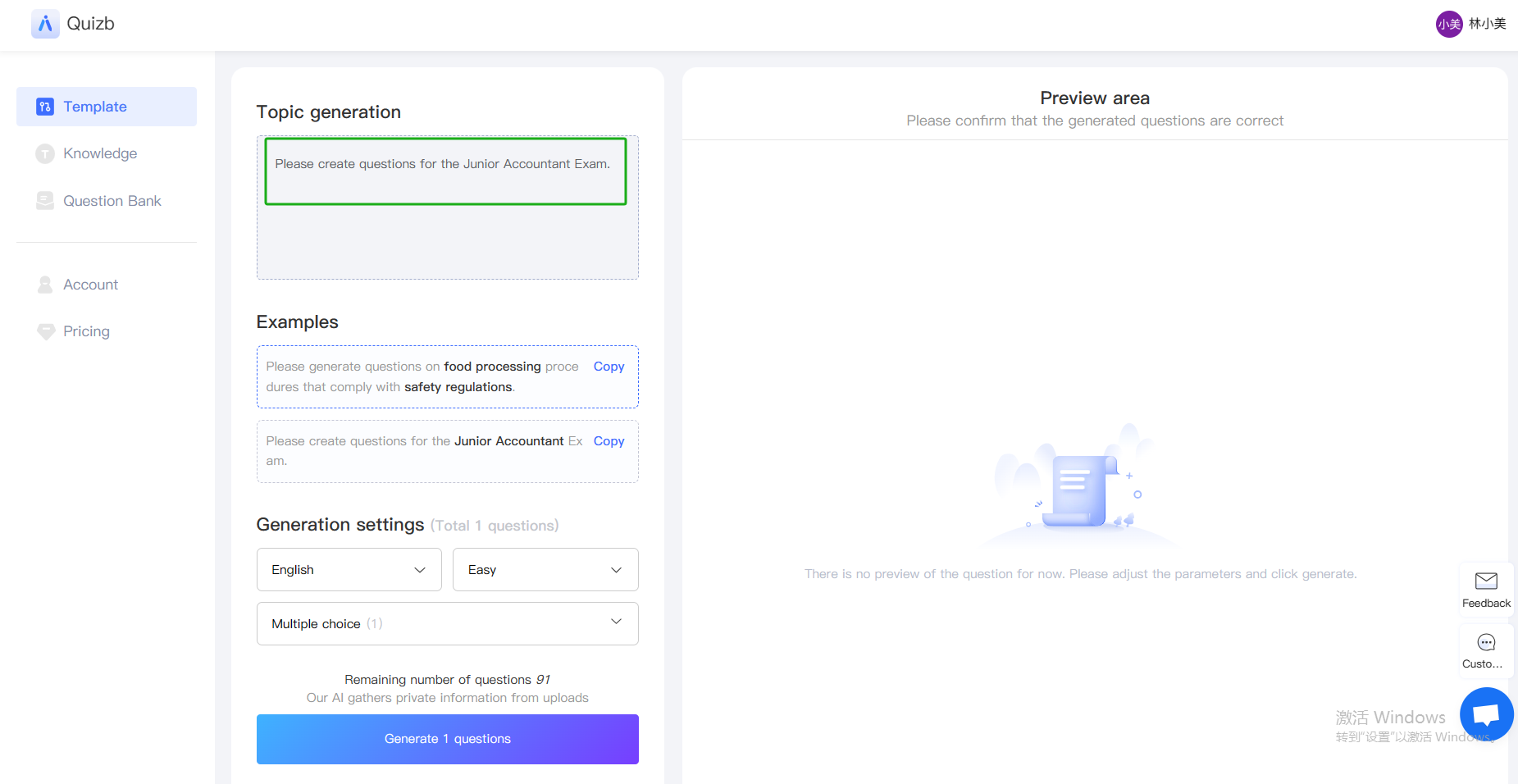
Step 3: Generate test questions
After completing the settings, click the "Generate Test Questions" button, and the system will quickly generate test questions that meet the requirements.
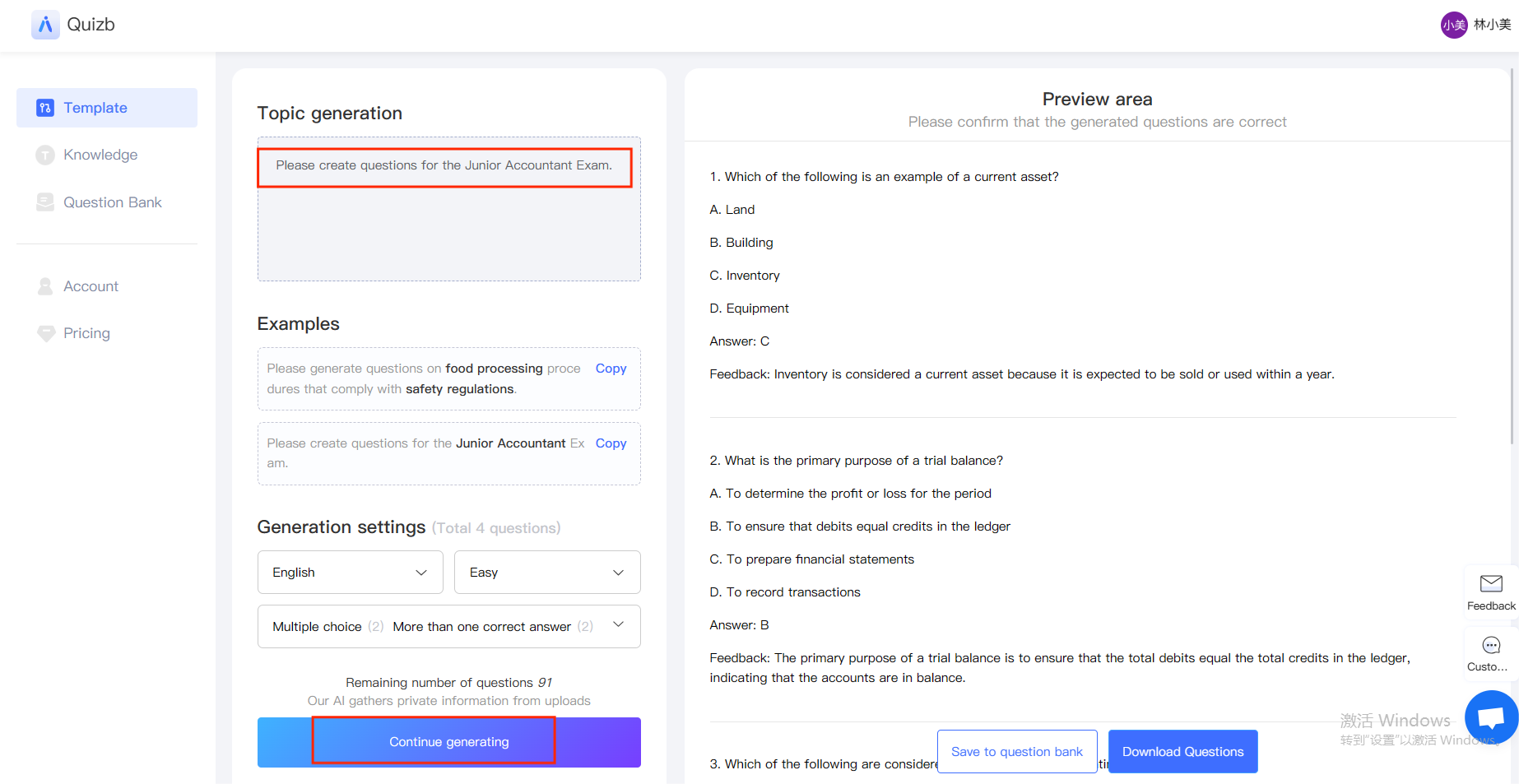
Step 4: Exam Review and Adjustment
The generated test questions will be displayed on the interface, and users can review and adjust them. If necessary, individual questions can be modified to ensure their accuracy and reasonableness.
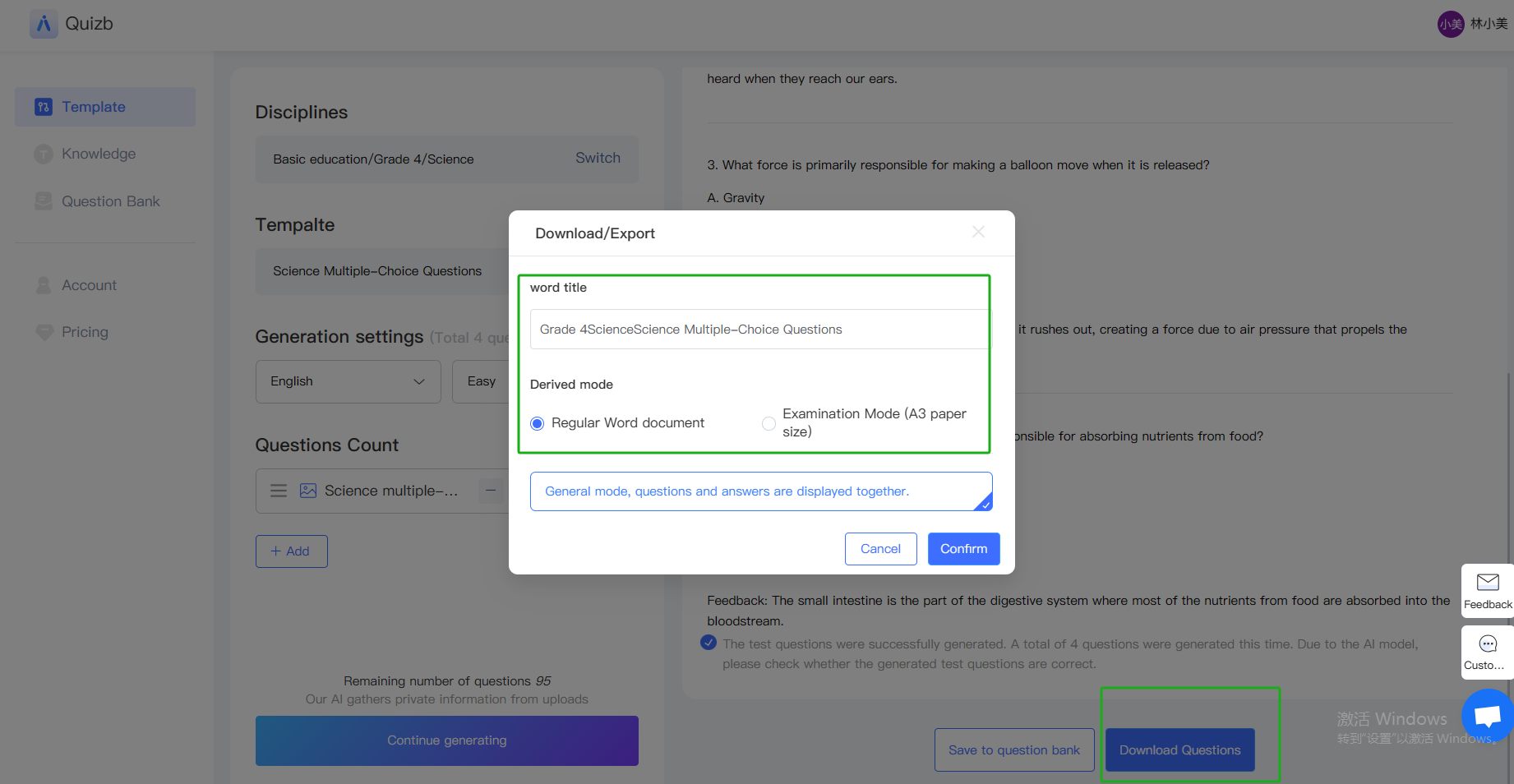
Step 5: Save and Export
After satisfaction, users can save the test questions to the question bank or export them directly as documents for printing or online exams.
Operation steps for data question creation
Step 1: Upload Information
Select the "Data Topic" option and upload document materials containing knowledge points. Quizb making tool supports uploading documents in various formats, such as Word, PPT, PDF, etc. It should be noted that the word count of the document cannot exceed 50000 words, the file size should be less than 20M, and only text format is supported in the document. If the file contains images, you need to convert them to text by yourself!
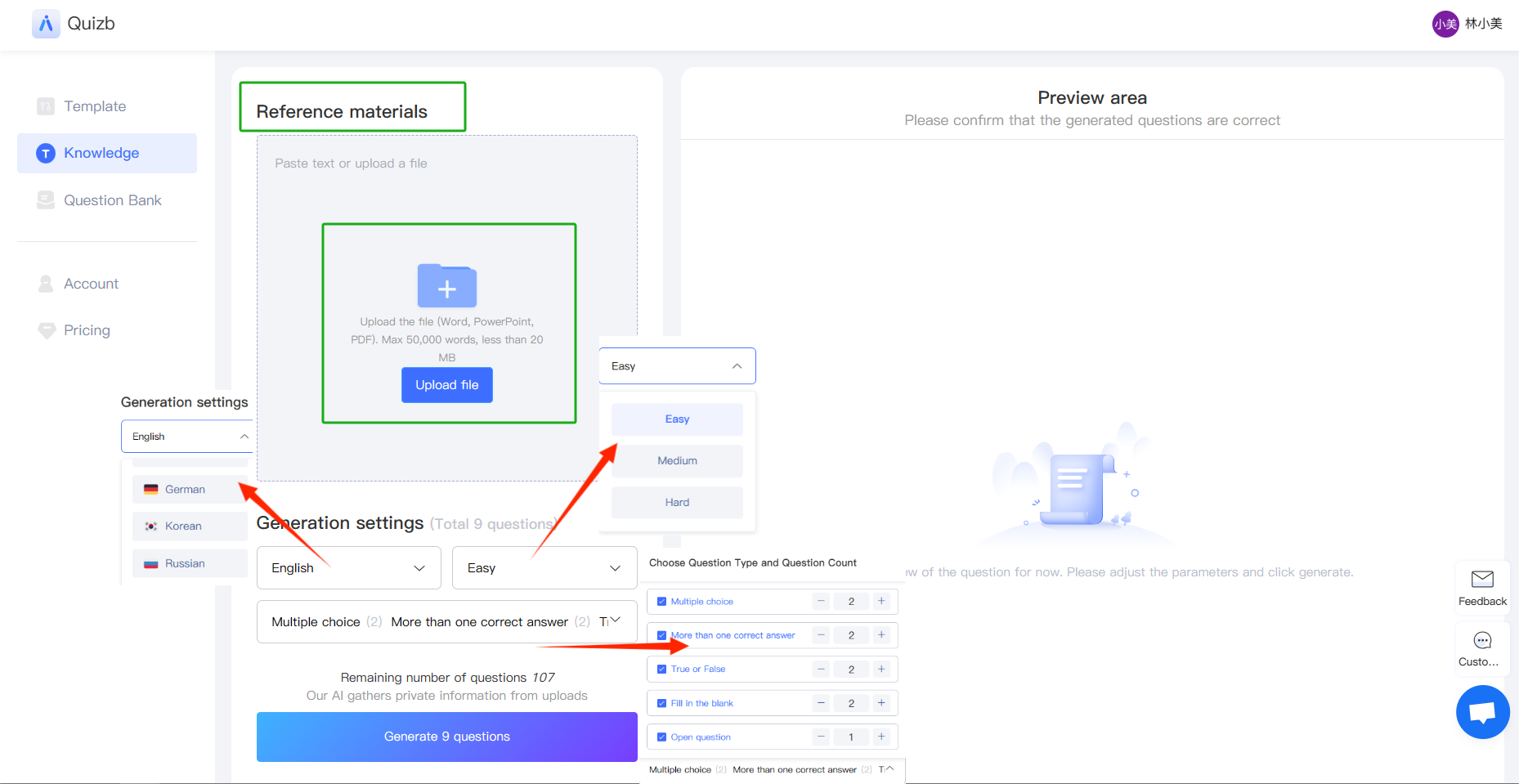
Step 2: Intelligent Analysis
The system will automatically analyze the document content, extract core knowledge points, and generate test questions based on these knowledge points. Users can also further specify the type and quantity of questions to be asked after uploading the materials.
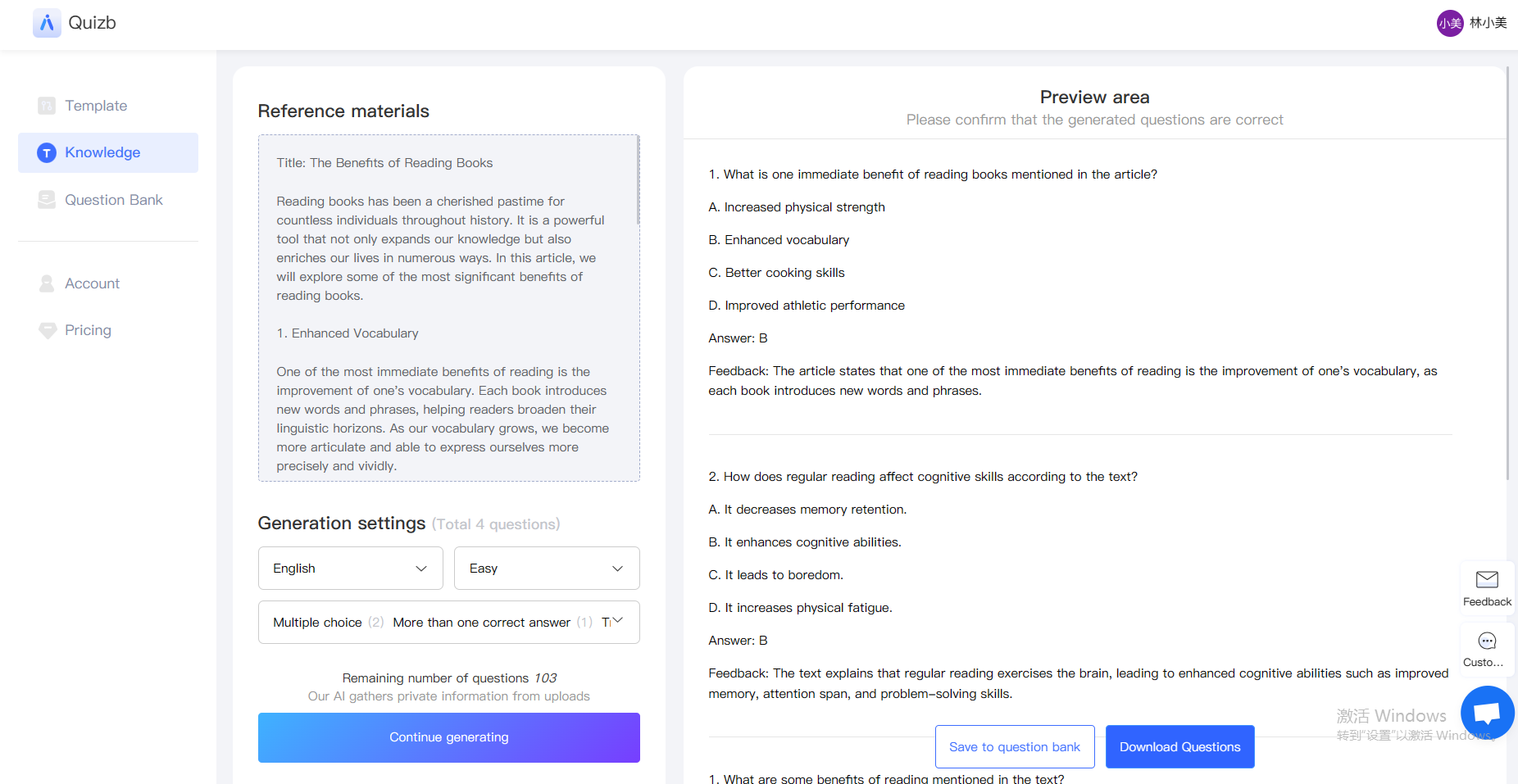
Step 3: Generation and Review
AI will generate test questions based on the analysis results and display them to users. Users can review the generated test questions to ensure they meet the expected requirements.
Step 4: Adjustment and Optimization
If certain questions are found to not meet the requirements, users can make adjustments or regenerate them. The system provides flexible editing functions to optimize the quality of test questions.
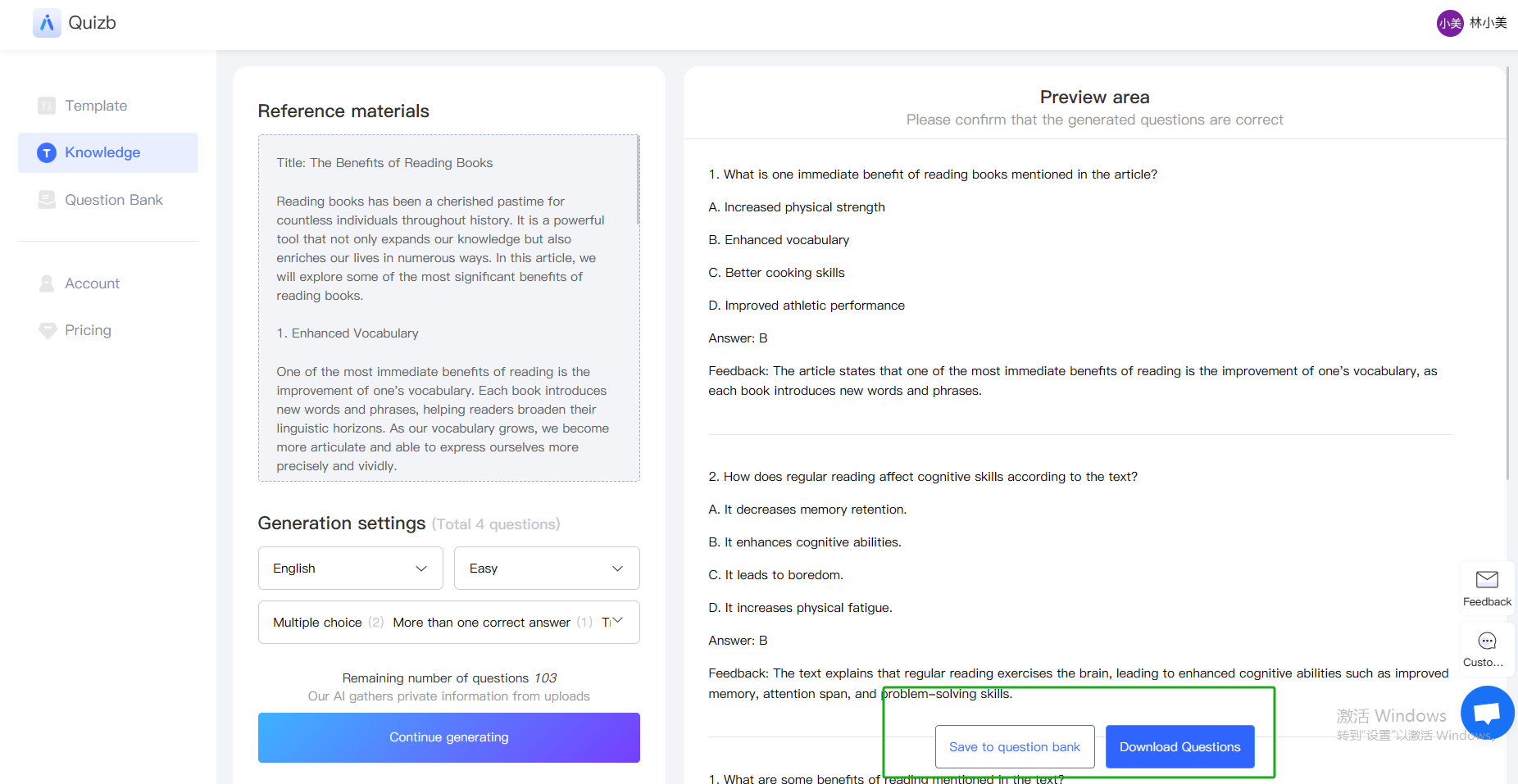
Step 5: Save and Export
After completing all adjustments, users can save the test questions to the question bank or export them to the desired format for teaching or exams.
Other advantages and functions of Quizb making tool
Quickly build a question bank: Users can quickly generate a large number of high-quality questions, quickly build a question bank, and facilitate online exams
Personalized customization: Users can choose the method of generating questions based on their teaching and examination needs, set parameters such as difficulty, type, and quantity of questions, and generate questions that meet their actual needs
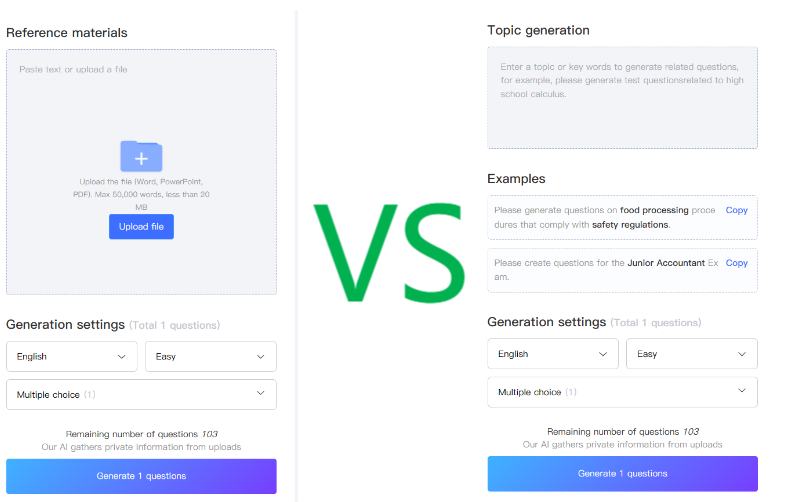
Efficient learning assessment: Through AI intelligent recognition of content, quickly and efficiently generate test questions to improve learning assessment efficiency
Overall, Quizb has simple and easy to understand question making operations, and is efficient and intelligent in question making. Quizb tool can help educators and exam organizers save a lot of time on question generation while ensuring high quality and diversity of test questions. I hope this article can help you better use the Quizb making tool,Click to join Quizb , and improve your question making efficiency and quality.
'%3e%3cg%20id='矩形_9011'%20data-name='矩形%209011'%20transform='translate(1224%20199)'%20fill='%23fff'%20stroke='%23707070'%20stroke-width='1'%20opacity='0'%3e%3crect%20width='20'%20height='20'%20stroke='none'/%3e%3crect%20x='0.5'%20y='0.5'%20width='19'%20height='19'%20fill='none'/%3e%3c/g%3e%3cpath%20id='路径_8506'%20data-name='路径%208506'%20d='M-8701.052-6635.965l6.479,5.991-6.479,5.99'%20transform='translate(9932%206838.975)'%20fill='none'%20stroke='%23999'%20stroke-width='1'/%3e%3c/g%3e%3c/svg%3e) Previous article:
Previous article: